


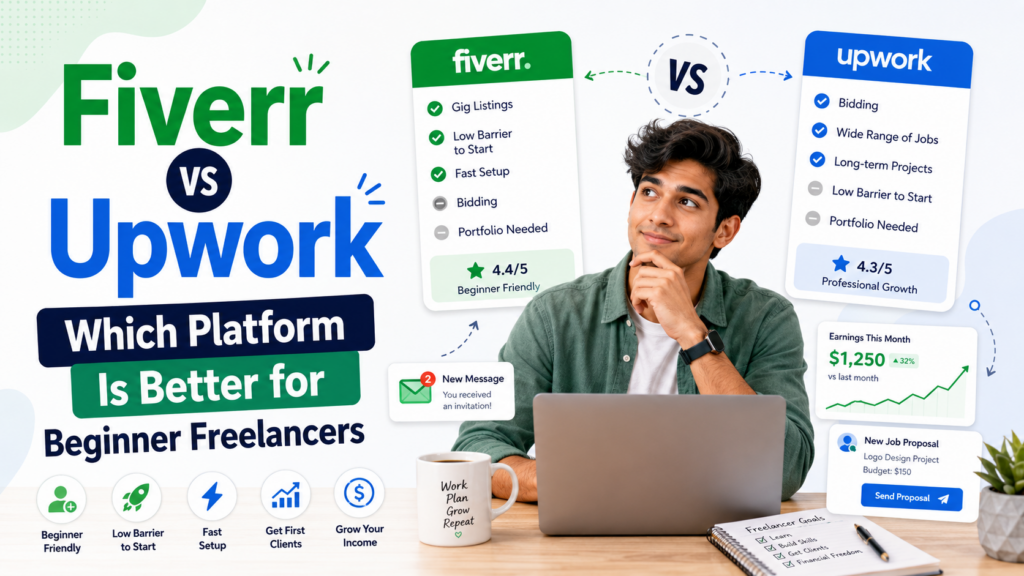
When you’re just starting in the world of online freelancing, one of the first questions you’ll face is: Fiverr vs Upwork — which platform should you choose? Both are legitimate, globally recognized freelance marketplaces. Both have helped millions of people earn money from their skills. But they work in fundamentally different ways, attract different types of clients, and suit different types of freelancers.
Choosing the wrong platform when you’re starting wastes time, kills momentum, and can make you believe freelancing doesn’t work for you — when really, you just picked the wrong starting point. This guide breaks down the key differences between Fiverr and Upwork so you can make a confident, informed decision and start building your freelance income the right way.
If you’re still exploring whether freelancing is the right path for you, also take a look at our roundup of side hustle ideas you can start this weekend — freelancing is just one of many options worth considering.
Fiverr vs Upwork: a quick overview
Before we go deep on every dimension, here’s the fundamental difference in one sentence: Fiverr is a product-first marketplace where clients find you; Upwork is a proposal-first marketplace where you find clients.
On Fiverr, you list a service — called a “Gig” — and buyers browse and purchase it directly, just like shopping in a store. On Upwork, clients post job listings and freelancers apply by submitting proposals. These two models create very different experiences, income trajectories, and skill requirements for beginner freelancers.
| Fiverr | Upwork | |
|---|---|---|
| Model | Clients find you | You apply to clients |
| Setup | Create Gig listings | Build profile & submit proposals |
| Entry barrier | Low | Medium |
| Earnings ceiling | Medium-High | High |
| Best for | Defined, packaged services | Complex, ongoing projects |
| Platform fee | 20% of every order | 10% (sliding scale) |
| Competition | Very high | High |
| Client quality | Mixed | Generally higher budget |
What is Fiverr and how does it work?
Fiverr launched in 2010 with a simple premise: freelancers list services starting at $5. While those $5 days are mostly gone, the structure remains the same. Sellers (freelancers) create “Gig” listings that describe a specific service, what’s included, how long it takes, and how much it costs. Buyers browse these listings and purchase them directly — no back-and-forth negotiation required.
Fiverr’s Gig system encourages you to productize your service. Instead of saying “I’m a graphic designer,” you create a Gig that says “I will design a professional logo with 3 concepts and unlimited revisions in 3 days.” This specificity is what makes Fiverr work — buyers know exactly what they’re getting and can purchase with one click.
Who should consider Fiverr?
- Beginners who want a simple, low-pressure starting point
- Freelancers who can offer clearly defined, packaged services
- Creatives in design, writing, voiceover, video, and music
- People who prefer inbound leads rather than writing proposals
- Sellers are willing to start at lower prices to build reviews
Fiverr pros and cons for beginners
| Pros | Cons |
|---|---|
| Easy to set up and get started | 20% platform fee on every order |
| Buyers come to you — no proposals needed | Extremely competitive; hard to stand out as new |
| Great for packaged, productized services | Race-to-the-bottom pricing pressure |
| Passive discovery once Gigs rank well | Hard to raise prices until you have reviews |
| Global buyer base, millions of active users | Fiverr controls the relationship with buyers |
What is Upwork, and how does it work?
Upwork (formerly oDesk and Elance) is the world’s largest freelance marketplace by gross services volume. Unlike Fiverr’s storefront model, Upwork operates more like a job board. Clients post project listings — either fixed-price jobs or hourly contracts — and freelancers submit proposals with their pitch, timeline, and quoted rate.
Upwork uses a token system called “Connects” to manage proposals. Each proposal costs a certain number of Connects, and freelancers receive a limited supply for free each month, with the option to purchase more. This system limits the volume of low-quality proposals clients receive and creates a slightly higher bar for freelancers to engage seriously.
Upwork also features a robust contract management system, time tracking for hourly contracts, dispute resolution, and a built-in payment protection system — features that appeal to clients with larger budgets and longer-term projects.
Who should consider Upwork?
- Freelancers in tech, marketing, consulting, or finance
- Those who are comfortable writing persuasive cover letters and proposals
- People targeting higher-paying, longer-term client relationships
- Freelancers who want more negotiating power over rates and scope
- Those building toward a full-time freelance income
Upwork pros and cons for beginners
| Pros | Cons |
|---|---|
| Higher average project budgets | Steeper learning curve; proposal writing takes skill |
| Long-term contracts build stable income | Connects system adds friction and cost |
| More professional client base overall | Very hard to land first jobs without reviews |
| Lower fees as you earn more (10% sliding to 5%) | The platform closely monitors freelancer quality |
| Strong contract and payment protection | Rising job search competition in popular categories |
Fiverr vs Upwork: fees compared
Fees are a significant factor when choosing a platform — they directly impact how much of your hard-earned money you actually keep.
Fiverr’s fee structure
Fiverr takes a flat 20% commission on every single order — no exceptions, no sliding scale. If you charge $100 for a project, Fiverr keeps $20, and you receive $80 (minus any payment processing fees when you withdraw). This rate never decreases, no matter how much you earn on the platform.
For new sellers, this flat 20% can sting — particularly when you’re pricing low to attract your first reviews. A $25 Gig order means you keep just $20 before any withdrawal fees.
Upwork’s fee structure
Upwork uses a sliding commission model per client relationship:
- 20% on the first $500 billed to a client
- 10% on earnings between $500.01 and $10,000 with that client
- 5% on all earnings over $10,000 with that same client
The key insight here is that Upwork rewards long-term client relationships. If you land one client and bill them $15,000 over a year, your effective commission rate drops significantly compared to Fiverr’s permanent 20%. For high-volume freelancers working with repeat clients, Upwork becomes more financially attractive over time.
Getting your first client: Fiverr vs Upwork
For most beginners, the hardest part of freelancing isn’t doing the work — it’s landing the first client. Both platforms present unique challenges here.
Getting started on Fiverr
On Fiverr, your first goal is to get your Gig ranking in search results. New Gigs are essentially invisible until they either earn reviews organically or get promoted through Fiverr’s paid promotion system. This creates a classic chicken-and-egg problem: you need reviews to get orders, but you need orders to get reviews.
Strategies to break through as a new Fiverr seller include:
- Price aggressively low to attract first orders (temporarily price your starting Gig at $5–$15)
- Offer faster delivery than competitors — speed is a competitive advantage early on
- Use Buyer Requests (now called Briefs) to pitch interested buyers proactively
- Share your Gig on social media and relevant online communities
- Optimize your Gig title and tags with keywords that buyers actually search for
Getting started on Upwork
On Upwork, your profile is your foundation — and without a strong profile and tailored proposals, you’ll struggle. The Upwork algorithm considers your Job Success Score (JSS), profile completeness, hourly rate, and skills when deciding how prominently to feature you.
Strategies for breaking through as a new Upwork freelancer include:
- Complete your profile to 100% — include a professional photo, strong bio, portfolio samples, and skills
- Write highly personalized proposals — reference the client’s specific project, not a copy-paste template
- Apply for smaller, lower-competition jobs first to build your Job Success Score
- Set your hourly rate slightly below market temporarily to win early contracts
- Pass Upwork Skill Certifications to boost your profile’s visibility
For in-depth strategies on landing your first client — regardless of platform — our guide on how to get your first freelance client with no experience covers everything you need to know.
Earnings potential: how much can you make on each platform?
Earnings potential on both platforms varies enormously based on your skill set, niche, and how well you market yourself. But there are some notable differences in the income ceiling each platform tends to support.
Fiverr earnings reality
The average Fiverr seller earns modest amounts — research suggests median monthly earnings are relatively low because the platform encourages volume at lower prices. However, top-rated Fiverr sellers in competitive niches like programming, animation, and brand design can earn $5,000–$20,000 per month. The path there is slow: you build up reviews, gradually increase your prices, and develop a catalog of high-performing Gigs over 12–24 months.
Fiverr’s package system helps — you can offer Basic, Standard, and Premium tiers, with your Premium package priced at $150–$500+, even if your Basic starts at $25. As your reviews grow, a larger proportion of buyers choose premium packages.
Upwork earnings reality
Upwork tends to attract higher-budget clients and longer-term contracts, which translates to higher average earnings per project. Skilled freelancers in software development, digital marketing, copywriting, and UX design regularly charge $50–$150+ per hour on Upwork. A single long-term client paying $5,000/month is a realistic target for an experienced Upwork freelancer.
The trade-off is that you have to earn this position — the early months on Upwork require significant effort in proposal writing and delivering exceptional work to build your reputation.
Knowing how to price your services is critical on both platforms. Don’t leave money on the table — read our guide on how to price your freelance services without underselling yourself before you set your rates.
Best categories for each platform
Not all freelance skills perform equally on both platforms. Some services are better suited to Fiverr’s packaged model; others thrive on Upwork’s project-based structure.
Skills that perform best on Fiverr
- Graphic design — logos, social media graphics, business cards, book covers
- Voiceover work — one of Fiverr’s most consistently profitable niches
- Video editing — YouTube intros, social reels, explainer videos
- Illustration and digital art — character design, portraits, custom artwork
- Short-form copywriting — product descriptions, taglines, social captions
- Music and audio — jingles, podcast editing, mixing, and mastering
- Translation — especially for less common language pairs
Skills that perform best on Upwork
- Software and web development — especially full-stack, React, Python, mobile development
- Digital marketing — SEO, paid ads (Google, Meta), email marketing strategy
- Content writing and copywriting — long-form, white papers, technical writing
- Data science and analytics — high earning potential with the right skills
- Virtual assistance and admin — long-term retainer roles are common
- Accounting and finance — bookkeeping, tax preparation, financial modeling
- Consulting and strategy — business analysis, market research, project management
Client quality: what to expect on each platform
The quality of clients you’ll encounter differs considerably between the two platforms, and this affects your experience, stress levels, and ability to do your best work.
Fiverr clients range widely. Because the platform is accessible to anyone with a credit card, you’ll encounter everything from professional marketers placing bulk orders to individuals who have never hired a freelancer before and have unrealistic expectations. The race-to-the-bottom pricing also attracts clients seeking the cheapest option, which can lead to requests for revisions and scope creep. That said, plenty of professional buyers use Fiverr for quick turnaround services and recurring orders.
Upwork clients tend to have larger budgets and more professional expectations. The platform’s verification process and higher engagement friction mean that most clients posting jobs are serious about getting work done. You’re less likely to encounter clients who ghost, refuse to pay, or expect unlimited revisions. Long-term relationships are also more common on Upwork — many freelancers find a few good clients and maintain those relationships for years.
Can you use both platforms at the same time?
Absolutely — and many successful freelancers do. Using both platforms simultaneously diversifies your income, reduces risk, and helps you discover which platform works best for your specific services.
A common strategy is to use Fiverr for recurring, productized services (e.g., monthly social media graphics, weekly blog posts) and Upwork for larger projects (e.g., full website redesigns, marketing campaigns). This way, Fiverr provides a steady base income while Upwork delivers higher-value project income.
Just be realistic about your capacity — managing profiles, delivering orders, and writing proposals across two platforms simultaneously requires strong time management, especially when you’re just starting.
Beyond the platforms: building your freelance business long-term
Both Fiverr and Upwork are great starting points, but the most successful freelancers don’t stay dependent on any single platform forever. They use these marketplaces to build their portfolio, accumulate testimonials, and develop client relationships — then transition to direct clients who pay higher rates without the platform commission.
One of the smartest things you can do early on is build an email list. Even as a freelancer, collecting the email addresses of past clients and interested leads gives you a direct channel to announce availability, share new services, and generate repeat business without paying Fiverr or Upwork a 20% commission on every transaction.
Also consider adding complementary income streams alongside your freelance work. Many freelancers supplement their project income with affiliate marketing, digital products, or content creation. Our guide on realistic passive income ideas you can start with $0 covers how to layer multiple income sources alongside your freelance career.
Fiverr vs Upwork: The verdict for beginner freelancers
There’s no universally “better” platform — but there is a better platform for you depending on your specific situation. Here’s a simple decision framework:
| Choose Fiverr if… | Choose Upwork if… |
|---|---|
| You offer a creative, easily packaged service | You’re in tech, marketing, writing, or consulting |
| You want inbound leads without writing proposals | You’re comfortable writing tailored proposals |
| You prefer selling at volume | You prefer fewer, higher-value clients |
| You want to start today with minimal setup | You want a higher earning potential long-term |
| Your services have a clear deliverable and timeline | Your work involves ongoing collaboration |
If you’re completely new to freelancing, Fiverr is the easier starting point. The setup is simpler: you don’t need to write proposals, and you can get your first few orders within days if you price competitively and optimize your Gig. Once you have some testimonials and confidence, branch out to Upwork for higher-paying opportunities.
Whichever platform you choose, remember that consistency and quality are the real differentiators. Most beginners give up after two or three weeks without orders. The freelancers who succeed are the ones who keep refining their profiles, keep applying or optimizing their Gigs, and keep delivering outstanding work to every single client. That reputation compounds over time into a sustainable, growing income.
Ready to take the next step? Read our full guide on how to get your first freelance client and learn exactly how to land a paying client — even with zero experience and no reviews.