


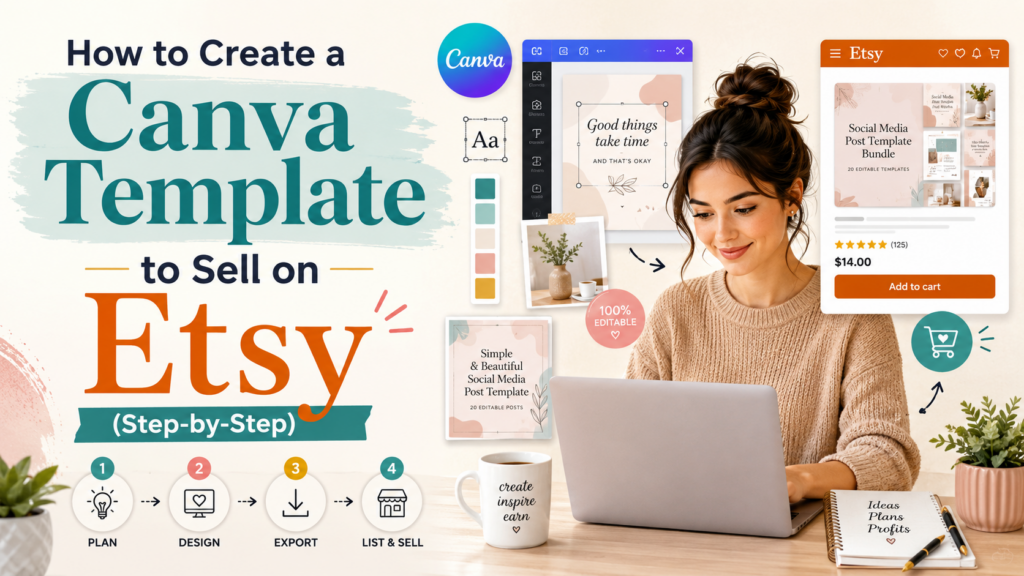
Selling Canva templates on Etsy has become one of the most accessible ways to generate passive income online. With over 90 million active buyers and a marketplace that rewards niche, well-designed digital products, Etsy is a natural home for a Canva template shop — even if you’ve never sold anything before.
The catch: most new sellers do it wrong. They design templates they think look good, list them with generic titles, and wonder why nobody buys. This guide walks you through the exact step-by-step process that actually works — from picking a profitable niche to writing a listing that converts.
If you’ve already explored other ways to make money with Canva, this post zooms in on the single highest-leverage path: building a template shop on Etsy that earns while you sleep.
Why Canva templates sell well on Etsy
Etsy buyers are not browsing — they’re searching for something specific. When someone types “Instagram template” or “wedding invitation Canva,” they’re already halfway to buying. Your job as a seller is to be the best result for that exact search.
Canva templates are perfect for this marketplace because:
- Buyers want instant download + easy editing. Canva delivers both.
- You design once and sell unlimited copies — true passive income.
- Buyers don’t need design skills. The template does the heavy lifting.
- Price points are approachable ($3–$25), so impulse purchases are common.
- Etsy handles the entire checkout, file delivery, and customer service.
A small shop with 30 well-optimized templates earning 2 sales per day at $7 each grosses ~$420/month. Top sellers hit $5K+/month with the same model. This isn’t theory — it’s a proven repeatable system.
Step 1: Pick a profitable template niche
Most new sellers skip this and just design “what they like.” Don’t do that. Profitable niches share three traits: active demand, low competition, and repeat-purchase potential.
Categories that consistently sell on Etsy
- Social media templates — Instagram posts, Reels covers, Stories, Pinterest pins, LinkedIn carousels
- Business templates — invoices, proposals, contracts, lead magnets, ebook layouts
- Wedding & event templates — invitations, save-the-dates, programs, signage
- Educational templates — workbooks, study planners, Notion-style templates, lesson plans for teachers
- Real estate templates — open house flyers, listing presentations, social media kits for agents
- Etsy seller templates — meta: templates for OTHER Etsy sellers (highly profitable)
How to validate your niche in 10 minutes
Before designing anything, validate the niche on Etsy itself:
- Search your niche keyword on Etsy (e.g., “wedding invitation template Canva”)
- Note the top 10 listings. How many sales do they have? Are most of them new shops (under 1 year) or established?
- If you see top results with 1,000+ sales AND multiple new shops also getting steady sales, demand is healthy
- If only 1–2 huge shops dominate everything, the niche is saturated
- Bonus: check seasonality on Google Trends. Wedding templates spike in spring; tax templates spike in Q1.
This is the same validation logic that applies to any business idea — never build before you’ve confirmed demand.
Step 2: Set up Canva for selling
Do you need Canva Pro?
Short answer: yes. Canva Pro ($14.99/month) gives you access to commercial-use fonts, premium elements, brand kits, and — critically — the ability to share templates with customers as editable links. The free tier limits you in ways that will cost you sales.
You can start the free 30-day Canva Pro trial, design your first 10–20 templates during that period, and decide whether to continue based on early sales. Many sellers cover their Canva subscription in the first week.
Set up a brand kit before designing
Before you design a single template, create a brand kit inside Canva with your shop’s color palette (3–5 colors max), 2 fonts (one heading, one body), and any logos. Consistent visual identity is the single biggest signal Etsy buyers use to evaluate whether your shop looks professional.
Step 3: Design the template (rules buyers will actually pay for)
Your templates need to be designed for the buyer to easily customize — not just look pretty as-is. Here’s what separates templates that sell from ones that don’t:
- Use text boxes with placeholder copy, not styled headings buyers have to figure out
- Lock the background layers so buyers don’t accidentally drag them away
- Use Canva’s built-in fonts only — don’t use uploaded fonts, buyers can’t access
- Keep colors on palette so buyers can swap to their own brand colors in one click
- Design for the largest expected format, then provide additional sizes (e.g., 1080×1080, 1080×1920, 1080×1350 for an Instagram template)
- Avoid copyrighted imagery — only use Canva’s licensed library or your own images
The goal: a buyer with zero design experience should be able to swap out the text, change the colors, add their photo, and export within 10 minutes.
Step 4: Make the template editable (the share-link trick)
Etsy doesn’t directly host Canva files. Instead, you sell a “template link” that takes the buyer to a Canva URL where they can edit their own copy of your design.
- In Canva, open your finished template
- Click Share → Template link (not “edit link” or “view link”)
- Canva generates a special URL ending in
/edit?utm_content=... - Each buyer who clicks gets their OWN editable copy in their Canva account
- You bundle this link in a PDF, which becomes the actual digital file Etsy delivers
This is the workflow every Canva template seller uses. It’s secure (one buyer can’t share a working link, because each click creates a new copy), and Canva handles all the editing infrastructure.
Step 5: Create your listing preview images
Etsy gives you 10 image slots per listing. Buyers decide in under 3 seconds whether to click. These images are your single biggest conversion lever.
The 5 image types every Etsy buyer expects
- Image 1 (main): Hero shot of the template on a styled mockup — phone, laptop, paper, etc.
- Image 2: “What you get” — show every variation/page in a grid layout
- Image 3: A second mockup or lifestyle shot showing it “in use.”
- Image 4: Color/style variations available
- Image 5: A clear list of features: “✓ Editable in Canva ✓ Instant download ✓ No design skills needed.”
Use Canva’s free Mockup feature or sites like Placeit (free trial) to generate professional-looking mockups in minutes.
Step 6: Write your Etsy listing
Etsy’s algorithm rewards listings that match buyer search intent. Your title, tags, and description need to align with how real buyers search.
The title formula that ranks
Format: [Main Keyword], [Secondary Keyword], [Modifier], [Platform]
Example: “Instagram Story Template, Pinterest Pin Template, Aesthetic Canva Template, Editable Digital Download”
Use all 140 characters Etsy allows. Each keyword phrase should match a real search someone would type. Keyword research for Etsy follows the same logic as keyword research for SEO — find what people are typing, then match it exactly.
Tags (you get 13, use all of them)
Each tag is a separate search phrase, up to 20 characters. Use long-tail variations buyers might type: Instagram story template, Canva pin template, aesthetic social media, editable Canva template, digital download Canva — and fill all 13 slots.
Description structure that converts
Open with the outcome (“Easily create stunning Instagram stories in minutes — no design skills required”), then list what’s included, then explain how it works, then handle objections (compatibility, refund policy, licensing). End with a soft call to action (“Have questions? Send me a message before purchasing.”).
Step 7: Price your template
New sellers consistently underprice. Browse top-rated listings in your niche and price within ±15% of the median — not the cheapest. Bargain pricing signals low quality on Etsy.
- Single template: $5–$15
- Template bundle (10+ designs): $15–$45
- Premium niche bundles (e.g., teacher resource pack): $25–$75
Read our full guide on pricing your first digital product for the deeper logic — but the short version: charge what buyers expect for the value, not what feels comfortable for you to ask.
Step 8: Drive traffic to your listing
Etsy SEO gets you organic search traffic, but the sellers who scale fastest combine Etsy traffic with external traffic — especially Pinterest. Pinterest is a search engine, not a social network, and it sends qualified buyers to Etsy listings for years after a pin is created.
For each template, create 5–10 Pinterest pins (with different headlines and mockup styles) and pin them to a board dedicated to your shop. Our full guide on using Pinterest for free traffic walks through the exact pin strategy.
Common mistakes that kill new Canva template shops
- Designing 1 perfect template instead of 10 good ones. Etsy rewards shops with depth — list 20+ items in the first month.
- Bad keywords in the title. “Pretty Pink Floral Design” tells Etsy’s algorithm nothing about what you sell.
- One-size-fits-all listings. Each platform (Instagram, TikTok, Pinterest) deserves its own listing, even if the design is similar.
- Skipping the “share template link” check. Triple-check that your share link works before publishing. A broken link = instant negative review.
- Ignoring reviews and customer messages. Etsy’s algorithm boosts shops with responsive sellers.
Frequently asked questions
Do I need a business license to sell Canva templates on Etsy?
In most US states and many countries, you can start as a sole proprietor without a separate business license. You’ll need to report Etsy income on your taxes. Check your local regulations — Etsy doesn’t require you to be incorporated to sell.
Is selling Canva templates on Etsy still profitable in 2026?
Yes — but the easy money phase (2020–2022) is over. New sellers can still build profitable shops, but you need niche specificity, design quality, and consistent listing volume. Generic “aesthetic template” shops struggle. Specific-niche shops (e.g., “real estate Instagram templates”) thrive.
Can buyers copy and resell my Canva templates?
Buyers receive a personal-use editable link. They can edit it for their own use, but Canva’s terms prevent them from reselling your design. Reality: Some buyers may try anyway. Include a clear personal-use license in your listing description to deter misuse.
Should I also sell on my own website?
Eventually, yes — Etsy fees add up (transaction + listing + and + payment processor ≈ 8–10% per sale). Once you have proven products, replicate top sellers on Gumroad or your own WordPress shop. Compare platforms in our Etsy vs. Shopify vs. Gumroad guide.
How long until I see my first sale?
With a well-optimized listing in a real niche, most sellers get their first sale within 2–4 weeks. Some get it in 48 hours; some take 2 months. The variable is almost always listing optimization, not “luck.”
One question we get a lot
“What’s the one thing you wish you knew before starting?”
Honestly? That most of what feels like it needs to be perfect at the beginning doesn’t. Your first offering will be worse than you’d like it to be. You’ll cringe at your first launch. That’s not a sign to wait — it’s a sign to ship. Iteration compounds. Perfection doesn’t.
If any part of this guide raised a specific question for your situation, we read every reply at support@beststartbiz.com. Real questions from real founders shape what we publish next.