


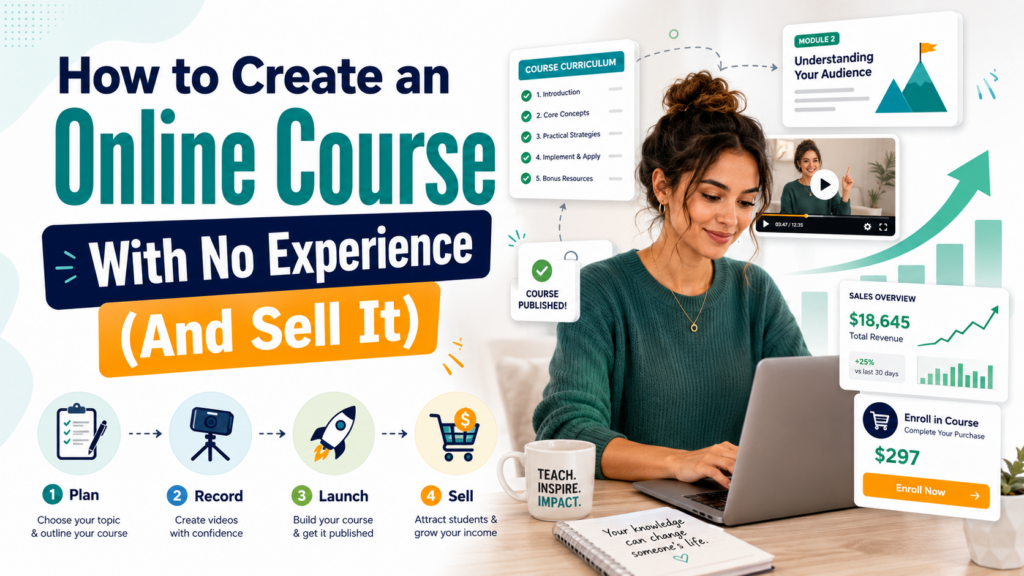
Creating and selling an online course is one of the most powerful ways to turn what you already know into recurring income — and the good news is that you don’t need a teaching degree, a big audience, or expensive equipment to get started. If you’re wondering how to create an online course from scratch, this guide walks you through every step, from validating your idea to making your first sale.
The e-learning market crossed $200 billion globally and continues to grow rapidly. Learners around the world are paying for courses on everything from Excel spreadsheets to sourdough bread, watercolor painting to Facebook ads. If you have a skill, a process, or knowledge that helps others get a result, you have the raw material for a sellable online course.
Not sure whether an online course or another type of digital product is the right move for you? Start with our overview of what a digital product is and how to start selling one — it puts courses in context alongside other income-generating digital formats.
Why online courses are one of the best digital products to create
Before we get into the how, it’s worth understanding why online courses have such a compelling business model compared to other ways of making money online.
- High perceived value — buyers expect to pay more for structured, outcome-driven learning than for a PDF or template
- Passive income potential — once built, a course can sell indefinitely with minimal ongoing effort
- Scalable impact — you teach once, but your lessons reach thousands of students
- Premium pricing — online courses typically sell for $47–$997+, dramatically higher than most other digital products
- Authority building — having a course positions you as an expert, which opens doors to speaking, consulting, and brand deals
For a broader look at the passive income potential of digital products, including courses, read our guide to passive income with digital products.
Step 1: Validate your course idea before you build anything
The biggest mistake new course creators make is spending weeks or months building a course before confirming anyone actually wants to buy it. Validation comes first — always.
Here’s how to validate a course idea quickly:
Check search demand
Search your course topic on Google, YouTube, and Udemy. If there are already successful courses and popular YouTube videos on the topic, that’s a strong signal of demand — not a reason to avoid it. Competition means there’s a market. Your job is to differentiate your approach, angle, or audience.
Browse existing courses on Udemy and Skillshare.
Search your topic on Udemy and filter by bestseller. Courses with thousands of ratings are proof that people pay to learn this subject. Read the reviews — especially the negative ones. Common complaints in existing courses tell you exactly what gap you can fill with yours.
Talk to your target audience.e
Post in relevant Facebook Groups, Reddit communities, or LinkedIn groups, asking what their biggest challenge is around your topic. If people respond with the exact problem your course solves, you have validation. If you get no responses, reconsider the topic or the audience.
Pre-sell before you build
The gold standard of validation is a pre-sale: offer your course at a discount before it’s finished and see if people buy. If 10 people pay you $50 for a course that doesn’t exist yet, you have $500 and proof of concept. If nobody buys, you’ve saved yourself weeks of wasted work.
For a structured approach to testing ideas before committing, our guide to validating a business idea before spending any money is essential reading.
Step 2: Choose your course topic and define your student outcome
Once you’ve validated demand, refine your topic into a specific, outcome-driven promise. The most successful online courses don’t teach broad subjects — they take a specific student from a specific problem to a specific result.
Compare these two course concepts:
| Weak topic (too broad) | Strong topic (outcome-focused) |
|---|---|
| “Introduction to Photography” | “Portrait Photography for Beginners: Get Professional Results with Any Camera” |
| “Learn Excel” | “Excel for Small Business Owners: Build Financial Reports in Under 2 Hours” |
| “Healthy Eating” | “7-Day Meal Prep Blueprint: Eat Clean All Week in 2 Hours on Sunday” |
| “Social Media Marketing” | “Instagram Growth System for Coaches: Get Your First 1,000 Followers in 30 Days” |
The more specific and result-oriented your topic, the easier it is to market, the higher you can price it, and the more satisfied your students will be.
Step 3: Plan and outline your course curriculum
A well-structured curriculum is what separates a professional course from a disorganized collection of videos. Start with the result and work backward.
- Define the result — what will a student be able to do after completing your course?
- Identify the milestones — what are the 4–7 major steps or phases on the path to that result?
- Break each milestone into lessons — each lesson should teach one concept, skill, or action.
- Sequence logically — ensure each lesson builds on the previous one
- Keep lessons focused and concise — 5–15 minutes per video is ideal; learners drop off with longer lessons
A typical beginner course has 4–8 modules with 4–7 lessons each, totaling 2–4 hours of video content. Don’t aim for length — aim for completeness. Every lesson should serve the outcome.
Step 4: Create your course content (without expensive gear)
You don’t need a professional studio, a $2,000 camera, or a film crew to create a great online course. Thousands of successful courses are recorded on laptops with built-in webcams and affordable USB microphones. What matters far more than production quality is content clarity and teaching effectiveness.
Minimum equipment you actually need
- Microphone — this is the single most important investment. Bad audio kills course quality faster than anything else. The Blue Yeti or Audio-Technica ATR2100 are popular, affordable options ($50–$130).
- Camera or webcam — a modern smartphone on a tripod or a basic 1080p webcam (like the Logitech C920) is sufficient for most courses.
- Lighting — natural light from a window or a $30–60 ring light dramatically improves video quality.
- Recording software — free options like OBS Studio (for screen recording) or Loom — work well. For paid options, Camtasia offers easy editing and screen recording in one tool.
Types of course lesson formats
- Talking head video — you on camera speaking directly to students; builds trust and personality
- Screen recording — ideal for software tutorials, step-by-step processes, and digital skills
- Slides with voiceover — quick to produce and effective for concept-heavy or theory content
- Screencasts + webcam picture-in-picture — combines the best of both; popular in technical courses.
- Audio-only — works for meditation, mindset, or podcast-style modules
You don’t need to pick just one — most successful courses mix formats based on what best suits each lesson’s content.
Step 5: Choose the right platform to host and sell your course
Where you host your course affects your revenue share, student experience, marketing tools, and overall control over your business. There are two broad categories: marketplace platforms (where you list your course alongside other creators) and standalone platforms (where you host your own branded school).
Marketplace platforms
| Platform | Best for | Revenue share | Audience built-in |
|---|---|---|---|
| Udemy | Beginners wanting fast exposure | 37% (organic sales) up to 97% (own promotion) | Yes — massive |
| Skillshare | Creative skills, short workshop-style courses | Royalty pool per minute watched | Yes |
Standalone course platforms
| Platform | Best for | Monthly cost | Transaction fee |
|---|---|---|---|
| Teachable | Beginners to intermediate creators | From $39/mo | 0% (paid plans) |
| Thinkific | Beginners; free plan available | Free – $99/mo | 0% |
| Kajabi | All-in-one for serious creators | From $149/mo | 0% |
| Podia | Digital products + courses combined | From $33/mo | 0% |
| Gumroad | Simple; low startup cost | Free | 10% + payment fees |
For beginners, Thinkific’s free plan or Gumroad are the lowest-risk starting points — you can launch without a monthly subscription while you validate your first course. For a broader comparison of selling platforms, see our breakdown of Etsy vs Shopify vs Gumroad for digital products.
Step 6: Price your course correctly from the start
Pricing an online course is where most new creators lose significant revenue. The instinct to price low to attract students almost always backfires — a $27 course signals low value, attracts bargain hunters who don’t take the material seriously, and leaves you needing hundreds of sales to generate meaningful income.
Research suggests that higher prices actually increase perceived value and course completion rates. Students who invest $197 in a course are far more motivated to finish it and apply the lessons than students who pay $19.
A general pricing framework for online courses:
- Mini course/workshop (1–2 hours): $27–$97
- Signature course (4–8 hours): $97–$497
- Comprehensive course / bootcamp (10+ hours): $297–$997+
- Coaching + course bundle: $997–$5,000+
Our detailed guide on pricing your first digital product walks through the psychology of pricing and provides a framework for finding a number that’s both competitive and profitable.
Step 7: Build your launch audience before launch day
A course without an audience is like a shop in the middle of a desert — perfectly built, but invisible. Most failed course launches fail because the creator skipped the audience-building step.
You don’t need a huge following — you need the right following. Even a small email list of 200–500 genuinely interested subscribers can produce a successful first launch.
Build an email list
Email remains the highest-converting channel for digital product sales. Start building your list before your course is finished. Create a free lead magnet — a short PDF guide, a mini video, a checklist, a template — related to your course topic, and promote it on social media and in online communities.
Our complete guide to building an email list from zero covers exactly how to do this step by step, including which email platforms to use and how to write a welcome sequence that primes subscribers to buy.
Create a content trail.
Publish free content related to your course topic for 4–8 weeks before launch. Blog posts, YouTube videos, short-form social media posts — any format that demonstrates your expertise and attracts your target audience. This serves two purposes: it builds trust and positions you as an authority, and it fuels SEO and organic discovery for your course sales page.
Step 8: Create a high-converting sales page
Your sales page is where your course revenue is won or lost. A mediocre course with an excellent sales page will outsell an excellent course with a mediocre sales page every time.
Every high-converting course sales page includes:
- A clear headline that states the outcome, e.g., “Learn to Edit Professional Videos in 30 Days — Even If You’ve Never Touched Editing Software.”
- Who this course is for — explicitly name your target student so the right people self-identify
- What they’ll learn — a specific, benefit-led breakdown of your curriculum
- Social proof — testimonials, beta student results, or screenshots of success
- About the instructor — your credentials and why you’re qualified to teach this
- Pricing and what’s included — clear, transparent pricing with a summary of everything they receive
- FAQ section — address the most common objections before buyers can raise them
- A clear CTA — a prominent, repeated “Enroll Now” button throughout the page
Step 9: Launch and sell your course
There are two primary launch strategies for online courses: evergreen (always available to purchase) and launch windows (available for a limited time). Each has advantages depending on your audience size and marketing approach.
Evergreen (always open) model
Your course is always available to purchase. Traffic from SEO, Pinterest, YouTube, and ads flows continuously to your sales page, and sales happen passively. This model suits creators who want low-maintenance, ongoing income and are willing to invest in content marketing or paid ads for traffic.
Launch window model
You open enrolment for a limited period (5–10 days) and close it with a deadline. The urgency and scarcity of a launch window dramatically increase conversion rates, making it the preferred model for email-list-driven launches. Creators with lists of 500+ subscribers often generate $5,000–50,000+ in a single week-long launch.
Step 10: Grow your course revenue long-term
Once your course is live and generating its first sales, there are several strategies to grow revenue without rebuilding from scratch:
- Affiliate program — let your students refer others for a commission. Word of mouth from satisfied students is your most credible marketing. This is also an entry point to affiliate marketing as a revenue stream for your own business.
- Course bundle — package two or three related courses at a discount to increase average order value
- Create a second course — sell a follow-up course to your existing students, who already trust you.
- Add coaching upsell — offer a higher-priced version that includes group or 1:1 coaching for students who want more support.t
- Run periodic launches — re-launch to your email list every quarter with fresh testimonials and updated content.
Your first course is just the beginning. The most successful course creators build a suite of products at different price points, creating a “product ladder” that takes students from a $37 mini course all the way to a $2,000 coaching program.
To understand how this fits into a broader digital income strategy, read our complete guide to creating a digital product to sell online. And if you’re looking for more ways to diversify your income streams beyond courses, our list of realistic passive income ideas will give you plenty of inspiration.
Common mistakes to avoid when creating your first online course
- Building before validating — always confirm demand before spending weeks on production
- Perfectionism paralysis — a published imperfect course earns money; an unpublished perfect one doesn’t
- Pricing too low — underpricing signals low quality and attracts disengaged students
- No audience at launch — build your list and social following in parallel with course creation
- Ignoring student feedback — your first students are a goldmine of improvement data; act on their feedback
- One-and-done mentality — the best course businesses grow through iteration, upsells, and new products over time
You already know enough to teach.
The most common thing that stops people from creating their first online course is the belief that they’re “not expert enough.” But you don’t need to be the world’s leading authority on a topic to teach it — you only need to be a few steps ahead of your student.
If you’ve ever learned a skill that felt difficult at first and figured it out, you have the lived experience of being a beginner who became competent. That journey — and the shortcuts and mistakes you encountered along the way — is exactly what struggling beginners need.
Start with what you know. Validate it. Build it lean. Launch it. Then improve based on real student feedback. That’s the system. Every successful course creator you admire followed some version of these same steps — and they all started before they felt ready.